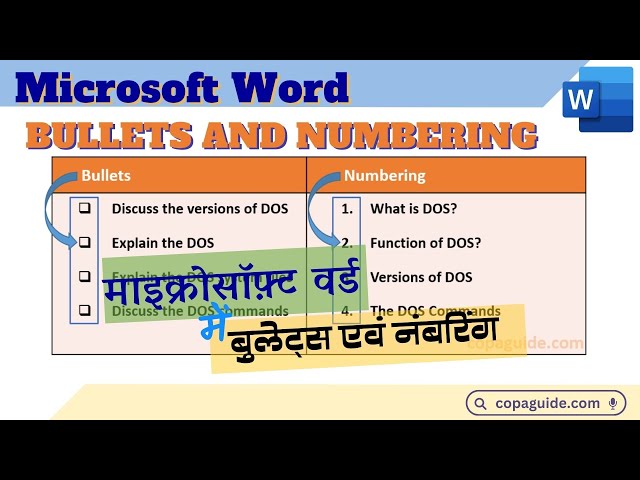

How to Create Bullet Points & Numbered Lists in Microsoft Word
Jan 19, 2025

Hey everyone, and welcome back to the channel! In today's video - How to Create Bullet Points & Numbered Lists in Microsoft Word, we're diving into the world of lists in Microsoft Word. We'll show you how to create stunning bullet points, numbered lists, and even multi-level lists to make your documents look professional and organized.
Microsoft Word using Bullets & Numbering. Creating lists in MS-Word? Advantages of using lists. Type of lists. Creating Bulleted List using Autoformat, Home Tab, Mini Toolbar & Shortcut Keys. Define bullets style using symbol, picture and font option. Creating numbered list in MS-Word. How to create a numbered list in Word? How to create a bullet point list in Word? How to format lists in Word? How to create multilevel lists in Word? Best practices for using lists in word documents, creating professional looking lists, Learn to use bullet points, numbered lists, list formatting, creating lists, formatting lists, list styles, multilevel lists, hierarchical lists in Microsoft Word. Bullets and Numbering in MS-Word Hindi Video.
इस वीडियो में माइक्रोसॉफ़्ट वर्ड में लिस्ट्स का प्रयोग, बुलेट्स एवं नंबरिंग क्या है? माइक्रोसॉफ्ट वर्ड में बुलेट्स का प्रयोग, माइक्रोसॉफ्ट वर्ड में नंबरिंग का प्रयोग, माइक्रोसॉफ्ट वर्ड ऑटो नंबरिंग, माइक्रोसॉफ्ट वर्ड मल्टी लेवल नंबरिंग आदि के बारे में जानेंगे। माइक्रोसॉफ्ट वर्ड में बुलेट्स का प्रयोग ऑटोफ़ॉर्मेटिंग फ़ीचर, फ़ॉर्मेटिंग टूलबार, बुलेट्स डायलॉग बॉक्स, मिनी टूलबार एवं शॉर्टकट कीज़ द्वारा करना। माइक्रोसॉफ्ट वर्ड में ऑटो फ़ॉर्मेटिंग फीचर के साथ बुलेट्स लिस्ट बनाना। माइक्रोसॉफ्ट वर्ड बुलेट्स स्टाइल में सिम्बल एवं पिक्चर का प्रयोग, माइक्रोसॉफ्ट वर्ड मल्टी लेवल नंबरिंग कैसे करें? माइक्रोसॉफ्ट वर्ड बुलेट्स एवं नंबरिंग क्या है? माइक्रोसॉफ्ट वर्ड बुलेट्स का प्रयोग कैसे करें? माइक्रोसॉफ्ट वर्ड नंबरिंग का प्रयोग कैसे करें? माइक्रोसॉफ्ट वर्ड ऑटो नंबरिंग का प्रयोग कैसे करें? माइक्रोसॉफ्ट वर्ड मल्टी लेवल नंबरिंग कैसे करें? माइक्रोसॉफ्ट वर्ड बुलेट्स शॉर्टकट की का प्रयोग कैसे करें?
यह वीडियो ITI-COPA, DCA, PGDCA, BCA, CCC, सभी कम्प्यूटर कोर्स एवं प्रतियोगी परीक्षा की तैयारी के लिए उपयोगी होगा। निम्न प्रश्नों का उत्तर इस वीडियो में देने का प्रयास किया गया है।
00:45 Using Lists in Microsoft Word
01:56 Creating Bullets in Microsoft Word
02:46 Using Autoformat to Create Lists in Microsoft Word
03:33 Using Home Tab to Create Bulleted List in MS-Word
04:35 Create List using Mini Toolbar
05:03 Shortcut Keys for Bulleted List
05:25 Define New Bullet Styles
06:16 Using Pictures in Bullets
06:48 Creating Numbered List
Show More Show Less #Jobs & Education